
AiCrm · All your customers in one place, even if they come from five different places
 AI
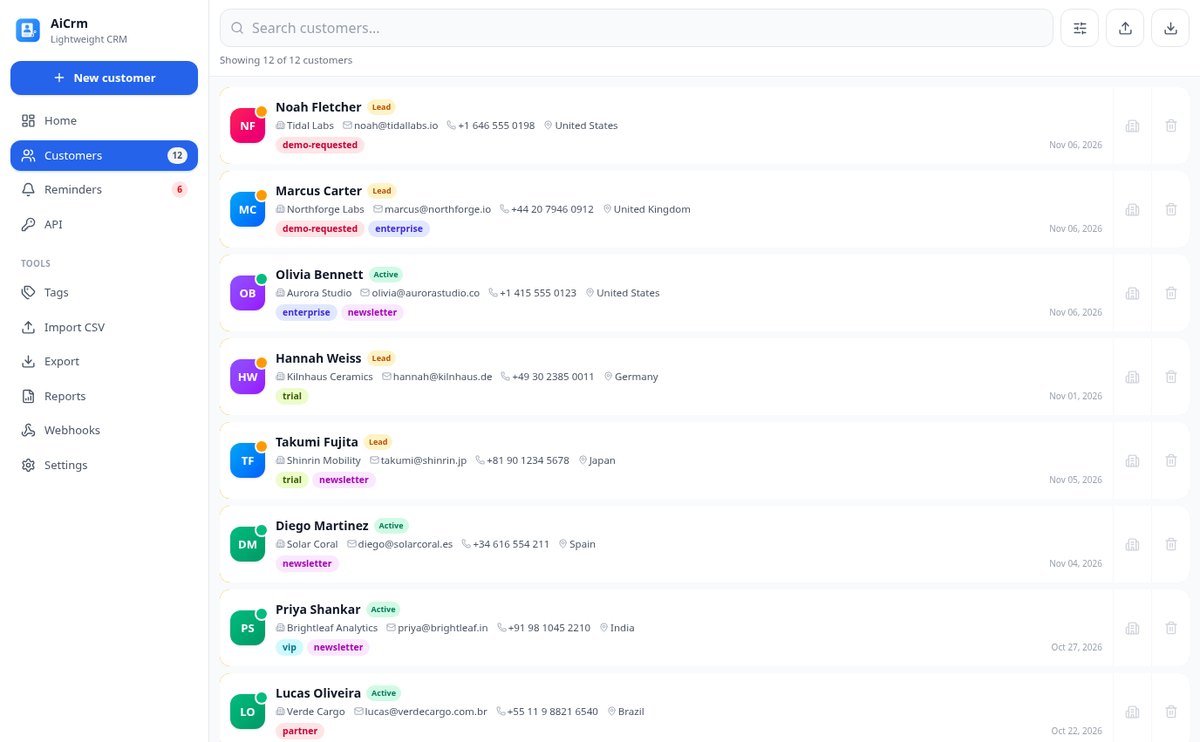
For small teams and developers whose contacts are spread across the website, form, chat, and a spreadsheet: AiCrm brings them together, tags them, and reminds you who you need to call today.
In the features that use AI, responses are generated by artificial intelligence and are not a substitute for professional advice.
你在基準線上來回滑動擊子,只為了看看角度能否出現,這樣浪費了多少回合?
在克朗棋中,這一擊並不是從球落下的地方開始:而是從「你」決定放擊子的位置開始。問題就出在這裡,沒有任何攻略能解決,因為它們都只告訴你從現在的位置該瞄準哪裡。這個應用程式把問題倒過來:掃描你基準線上所有合法位置,回傳能讓這一擊成立的區段、最佳落點,以及以棋盤毫米為單位的寬度——因為要訓練的是窗口,而不是一個點,只有窗口才經得起手指按在六吋螢幕上。此外它會畫出虛擬擊子和接觸點,給出你會看到的切球角度與棋子接觸比例,指出每一段被哪顆棋子擋住及其餘裕,並在擊子即將跟著棋子滑進自己袋口時提醒你,也就是讓你退回已贏棋子的 Due:風險以 ±8° 的錐形公布,而不是一條細線,修正只需點一下,就把落點移動剛好的毫米數。沒有直擊的地方,有一至二次撞框、後擊、貼附邊框棋子的三種策略,以及皇后計畫,決定你是否值得去打皇后,以及之後用哪顆棋子掩護。尺寸是錦標賽棋盤的實際尺寸,不是近似比例,且每個估算數字都附有標記和清楚的誤差範圍。還有不可跨越的底線:這不是自動瞄準外掛。它不會覆蓋在遊戲上,不讀取你的螢幕,不在對局中運作,也不替你瞄準。它是供你在遊玩前後訓練的白板。
Start for free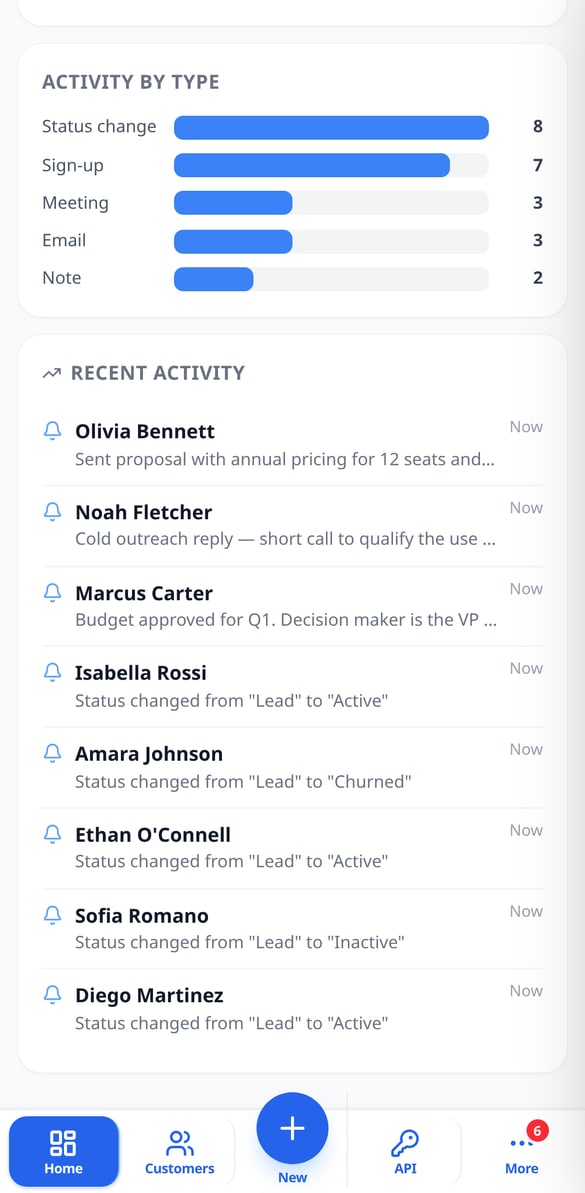
Discover every feature in detail

Customer Follow-up Reminders with Overdue Alerts | AiCrm
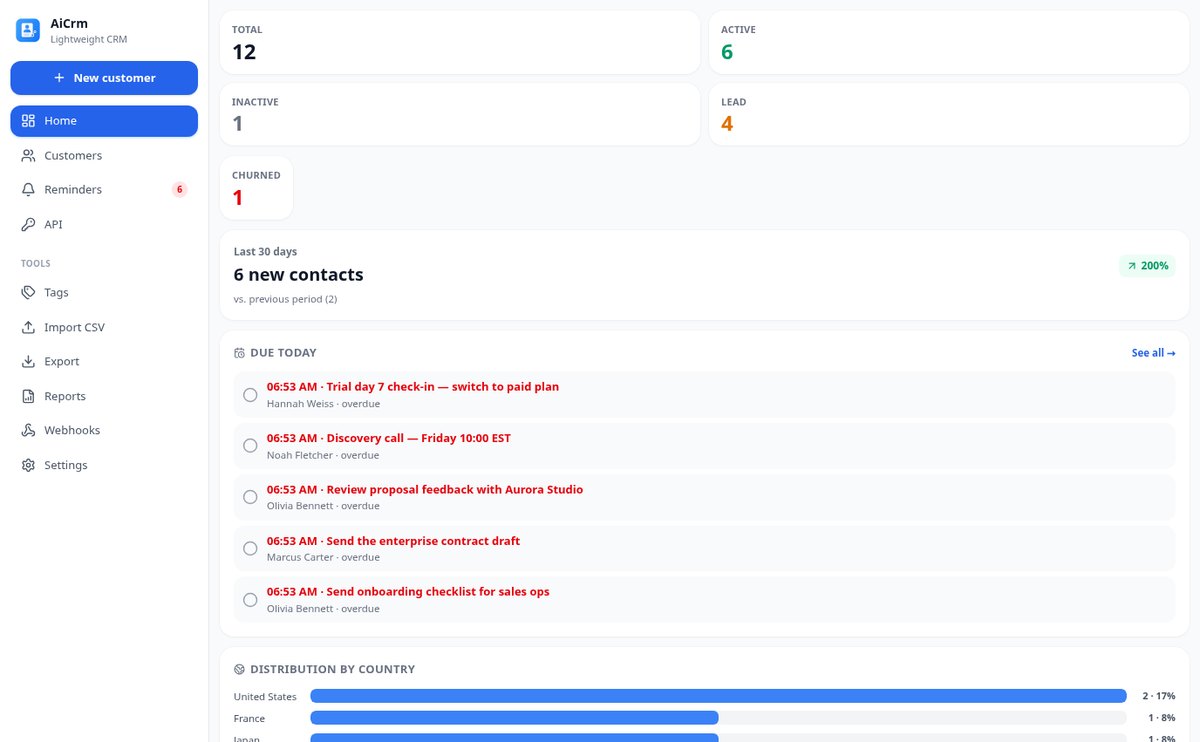
Schedule follow-ups with date and time on each customer record: AiCrm shows you today's pending tasks when you open the dashboard, marks overdue ones in red, keeps a pending counter and lets you postpone with one tap.
View feature
Customer funnel lead, active, inactive and lost | AiCrm
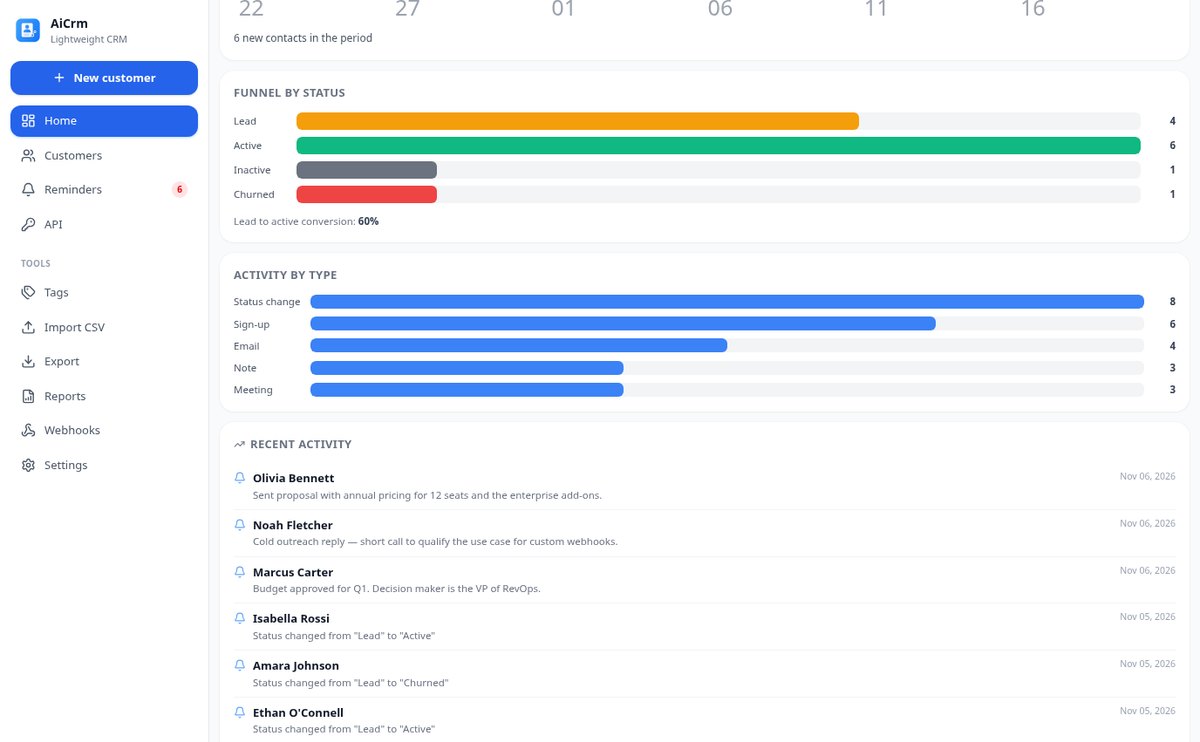
Classify each contact by lifecycle status—lead, active, inactive or lost—, check the funnel with lead to active conversion, filter by phase and let AiCrm move to inactive those with days of no activity.
View feature
Customer activity history: automatic timeline | AiCrm
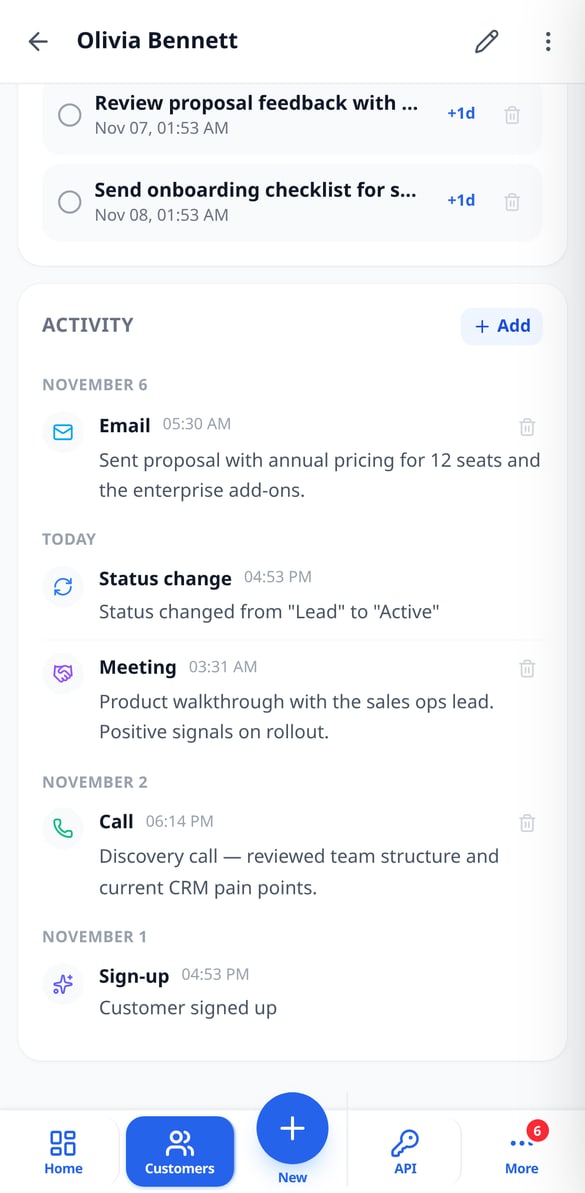
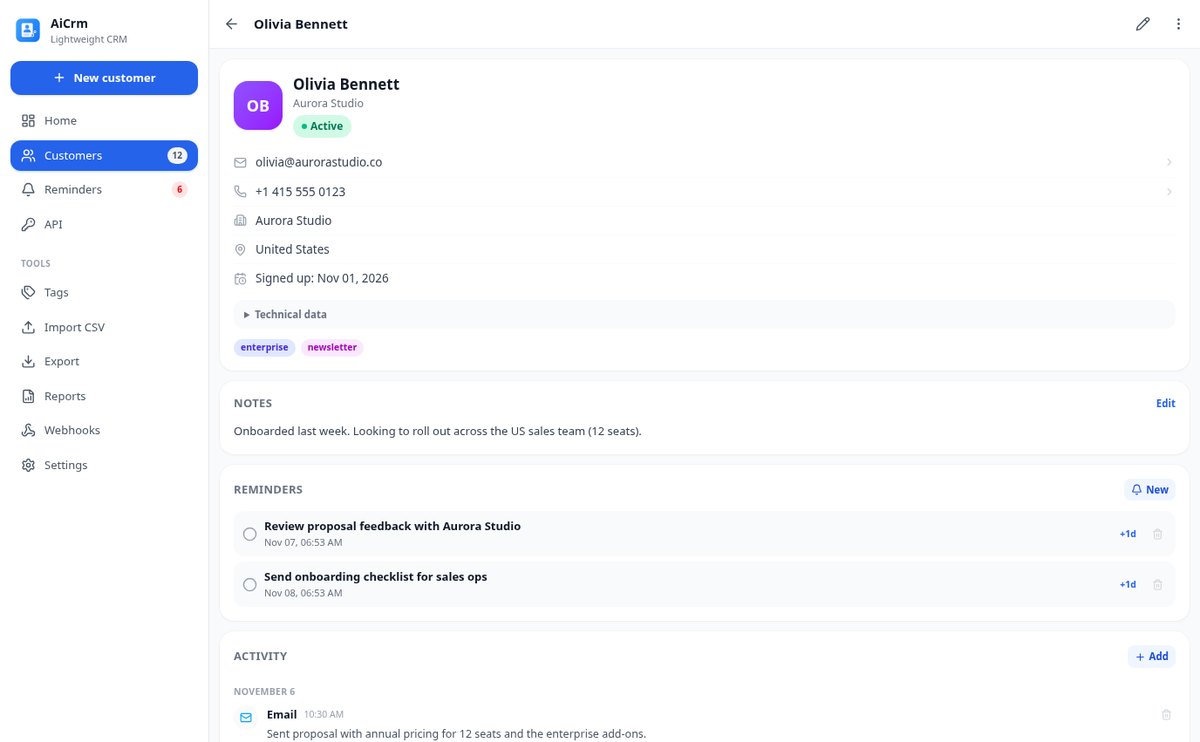
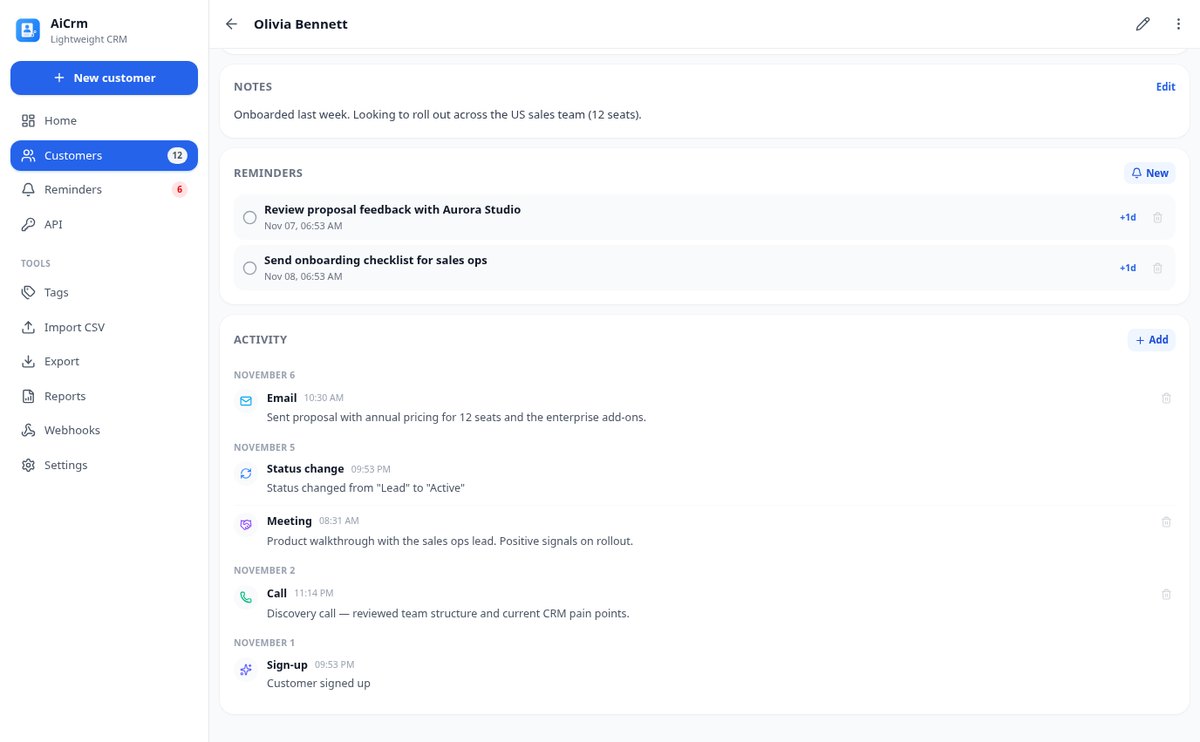
Record everything that happens with each customer on a timeline: sign-ups, status changes, and merges are written automatically, and you add calls, emails, meetings, visits, tasks, and notes with their actual date.
View feature
Detect and Merge Duplicate Contacts in Your CRM | AiCrm
AiCrm finds duplicate contacts by email, phone, or similar name and lets you merge them field by field, combining tags and reassigning activity and reminders to the contact record you keep.
View feature
Import Contacts from CSV to CRM, up to 10,000 Rows | AiCrm
Upload your CSV to AiCrm: it only detects the delimiter and columns (name, email, phone, company, country, tags), imports in batches of 100 with progress, and resumes without duplicating if interrupted. Error CSV for correction and retry.
View feature
REST API for CRM with signed webhooks | AiCrm
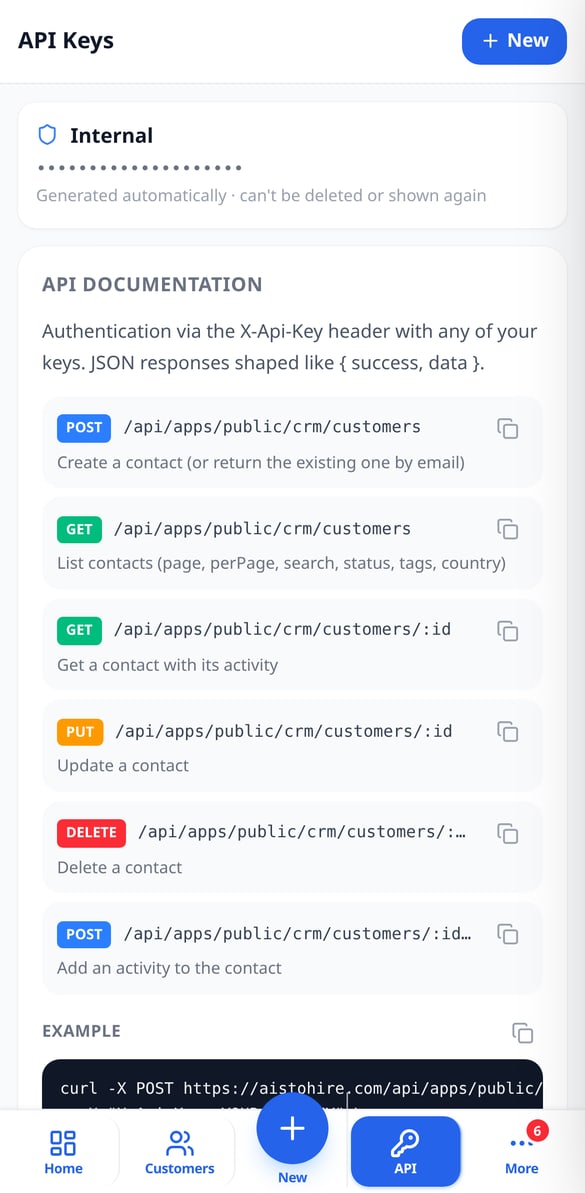
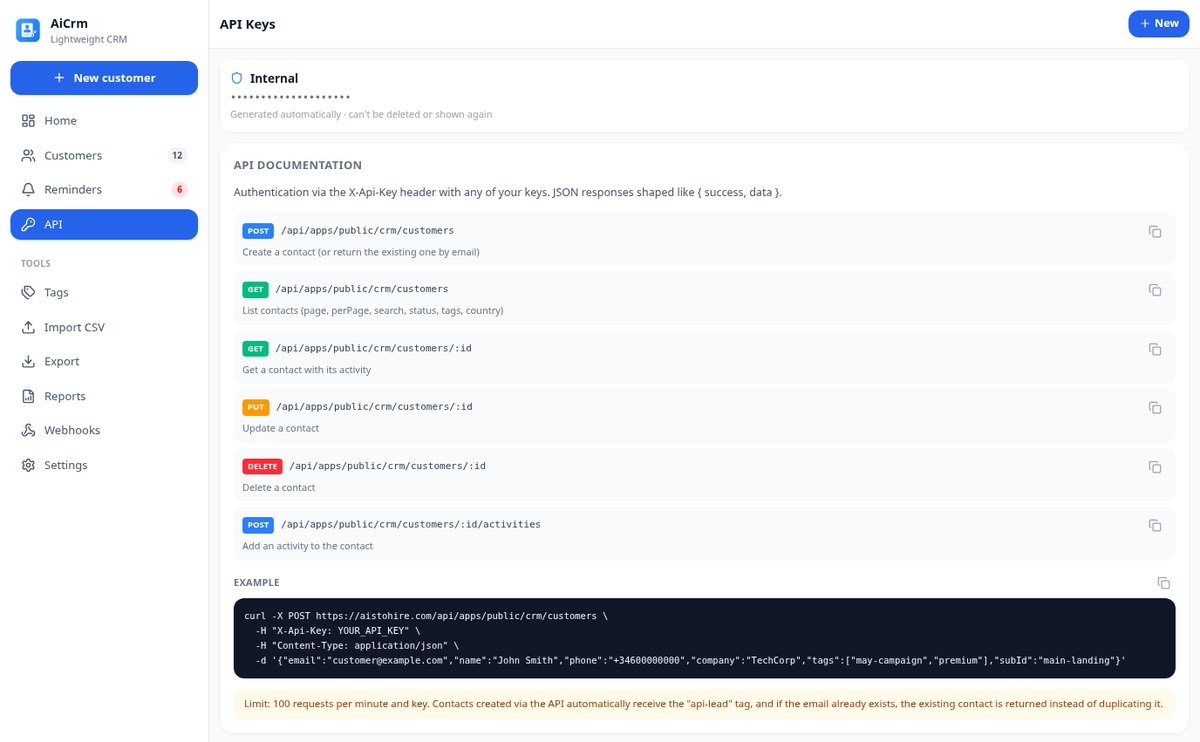
Public REST API CRM: create and query customers with an X-Api-Key HTTP header, up to 20 keys per integration, and outgoing webhooks signed with HMAC-SHA256. Lead registration from your website without duplicates.
View feature
Customer and Activity PDF Reports from your CRM | AiCrm
Generate PDF reports from your CRM: executive summary with metrics and distribution by country, filtered contact list, and chronological activity detail, with date range, lifecycle status, and country filters. Also available in CSV.
View featureFrom first contact to follow-up
棋盤是方形的,四角有四個袋口,棋子是扁平的:不會滾動也不會後退,所以這裡沒有旋轉,也沒有球桿的虛擬球。拖曳時,棋盤會即時重算這一擊:沒有計算按鈕。為 360 px 寬度設計,附有滑桿、步進器和放大鏡,讓你的手指不會擋住這一擊。

Records with tags, statuses, and timeline
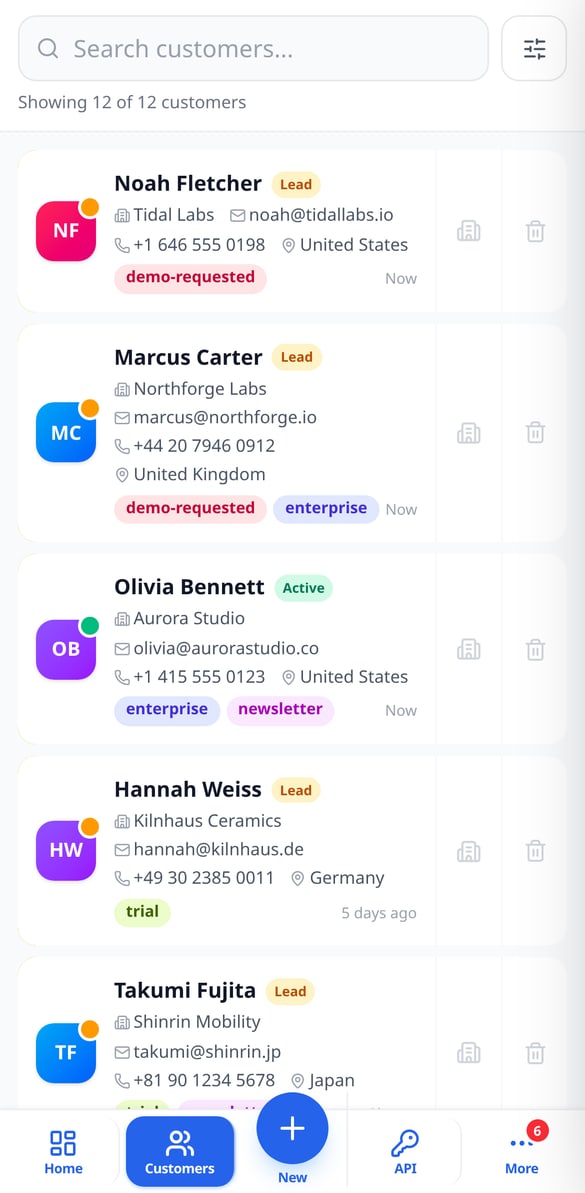
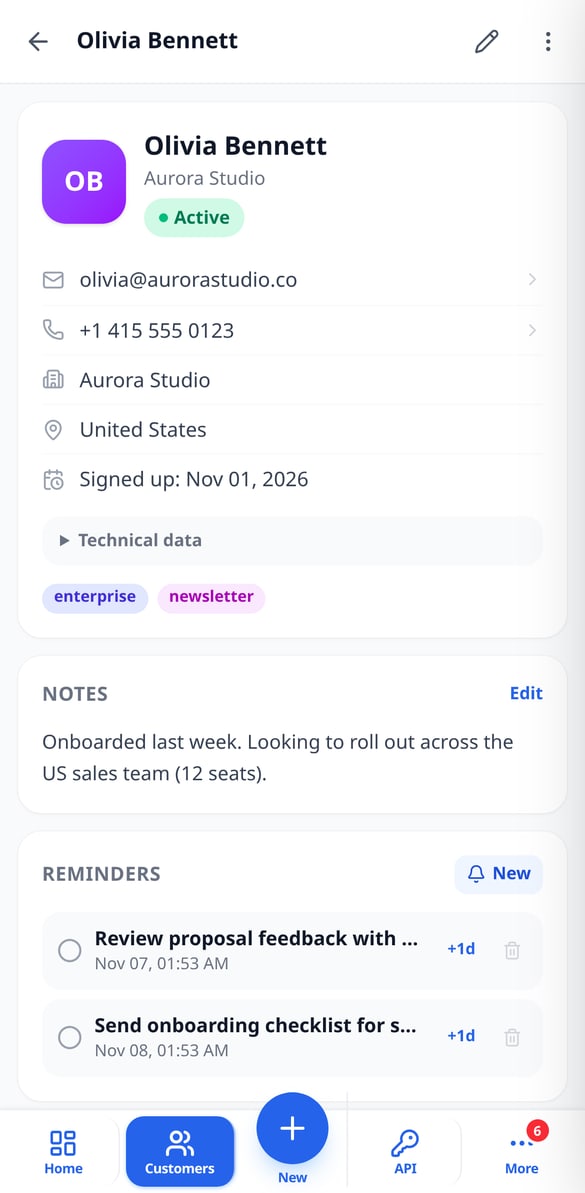
Each customer has a name, email, phone, company, country, notes, and the tags you assign, plus a lifecycle status: lead, active, inactive, or lost. Below, a timeline with everything that has happened — the signup, status changes, your calls, emails, meetings, and notes —. You search by name, email, phone, or company and filter by status, tags, country, or dates.

Reminders, duplicates, and CSV
Schedule a follow-up with a date and time, and mark it as done or postpone it when needed. If two records are the same person, AiCrm detects them by email, phone, or similar name and merges them field by field, combining tags and activity. Import your list from a CSV by mapping the columns and export it whenever you want by choosing which fields to include.

REST API, webhooks, and dashboard
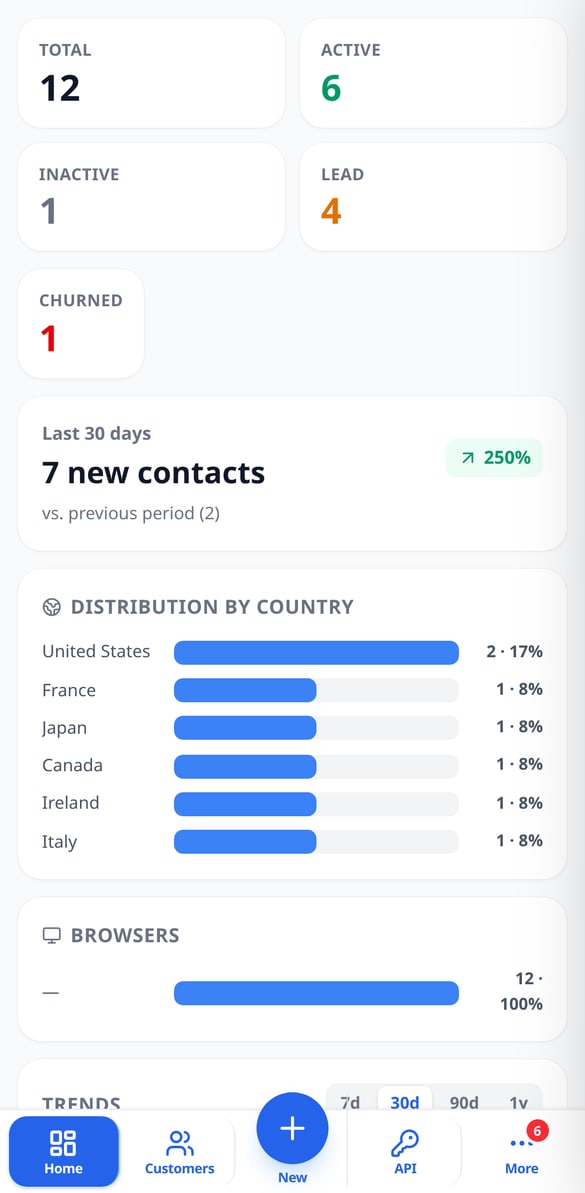
Create API keys with their own names and add contacts from your website, form, or chatbot with the tags you decide; if the email already exists, it isn't duplicated. When something changes, your webhooks receive the signed event. And the dashboard shows you the total by status, new signups from the last 30 days with their change, the source countries and browsers, and trend charts.
Get started in three steps
免註冊直接進入
在瀏覽器中開啟,無需安裝任何東西,也不要求你的遊戲帳號。你直接進入棋盤,所建立的內容會儲存在你的手機上:關閉瀏覽器也不會遺失棋位。
複製你的棋位
拖曳你的棋子、對手的棋子和皇后到草圖上,點選你要打的袋口,或設為自動,讓應用程式從四個袋口中挑選最佳的。棋子不會重疊或超出範圍:會自動調整到合法位置。
閱讀判定並開始訓練
建議落點、窗口、角度、棋子接觸比例、阻擋、犯規提示,以及細項難度。下載 PNG 圖表或 A4 PDF 筆記本來練習,再帶著記下的參考回到遊戲中。有帳號即可儲存棋位、記錄練習,並請 Nolan 為你解說。
Frequently Asked Questions
Latest blog articles
Guides and news to get more out of it

Switching CRM without paying a toll: what the Data Act guarantees you from January 12, 2027
From January 12, 2027, the Data Act prohibits exit fees from a SaaS. Audit your CRM contract and migrate your contacts without losing data.

How to transfer your clients from Excel to a CRM without losing data or duplicating contacts
Step-by-step guide to migrating your client database from Excel to a CRM: prepare the sheet, export the CSV in UTF-8, map the columns, import in batches, and merge duplicates without losing data.