
AiTodo · the task manager that understands what you dictate to it
 AI
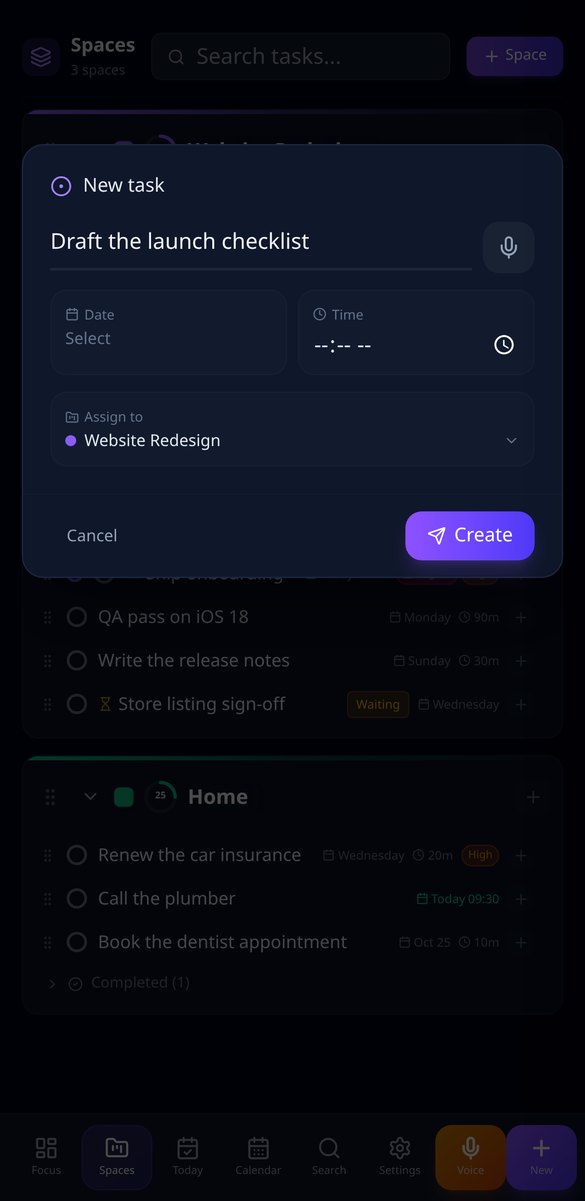
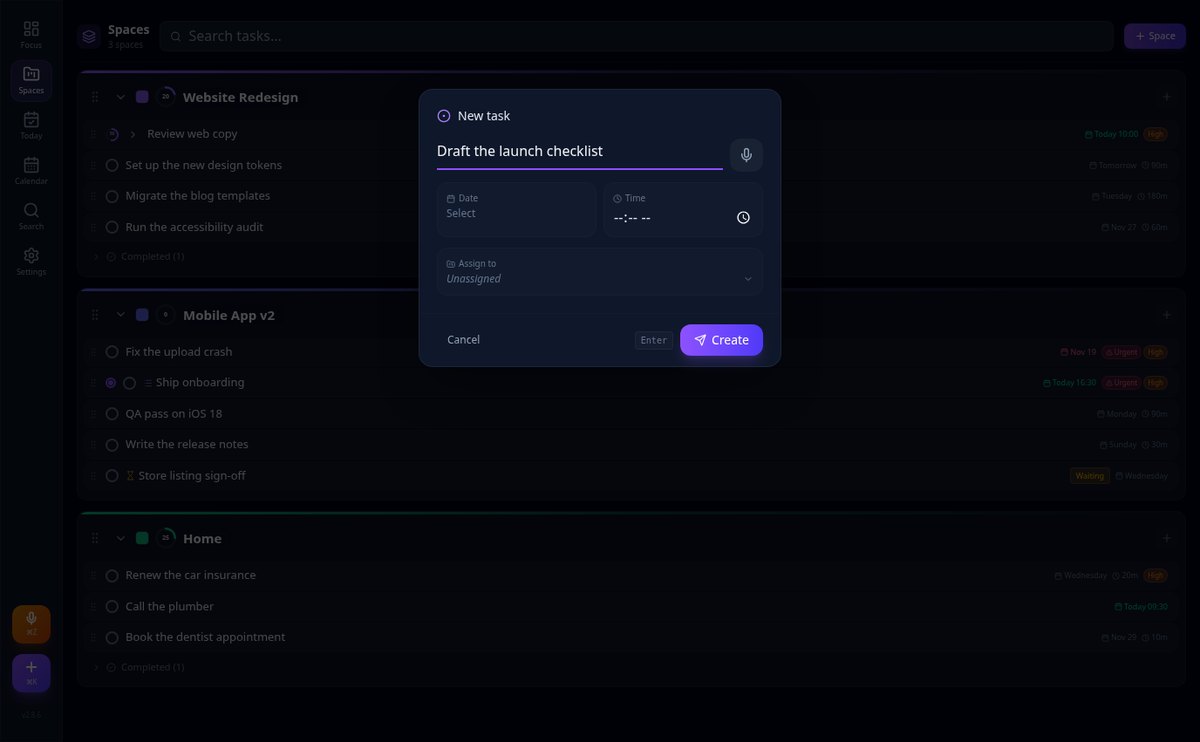
Hold down the microphone and say “call the plumber tomorrow at 10”: the task is created with title, space, date, time, and priority already filled in, without opening a single form.
In the features that use AI, responses are generated by artificial intelligence and are not a substitute for professional advice.
Kuinka monta aikaa menetät, kun et ehdi vastata puhelimeen ajoissa?
aiReceptionist vastaa heti, kun asiakas kirjoittaa, mihin aikaan tahansa: se vastaa yrityksesi tiedoilla, pyytää päättämäsi tiedot, katsoo kalenterisi oikeat vapaat ajat ja jättää ajan varatuksi. Ja jos keskustelu monimutkaistuu, se siirtää sen sinulle yhteenvedon kanssa.
Start for free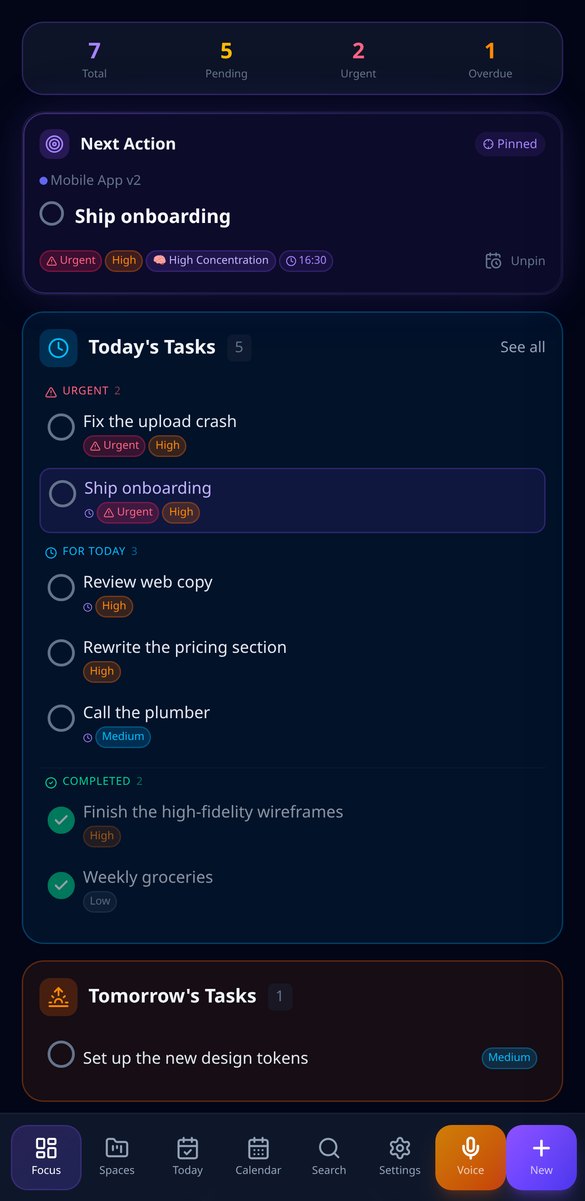
Discover every feature in detail

Voice task dictation with AI: AiTodo creates the filled task
Say 'call the plumber tomorrow at 10' and AiTodo creates the task with title, space, date, time, and priority. Voice capture with AI from the browser, no forms. Free.
View feature
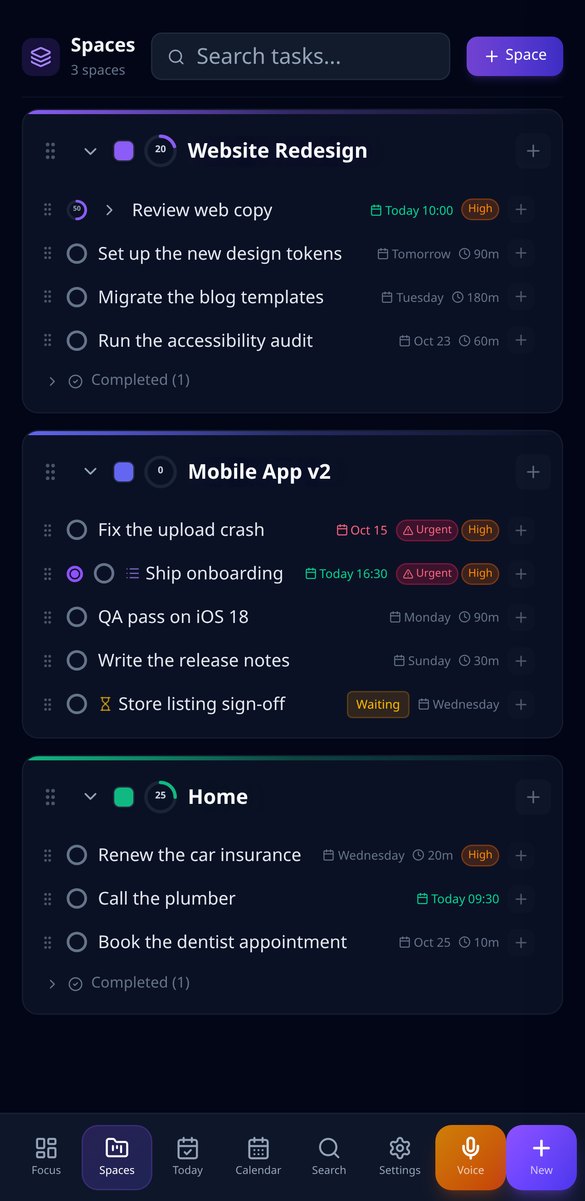
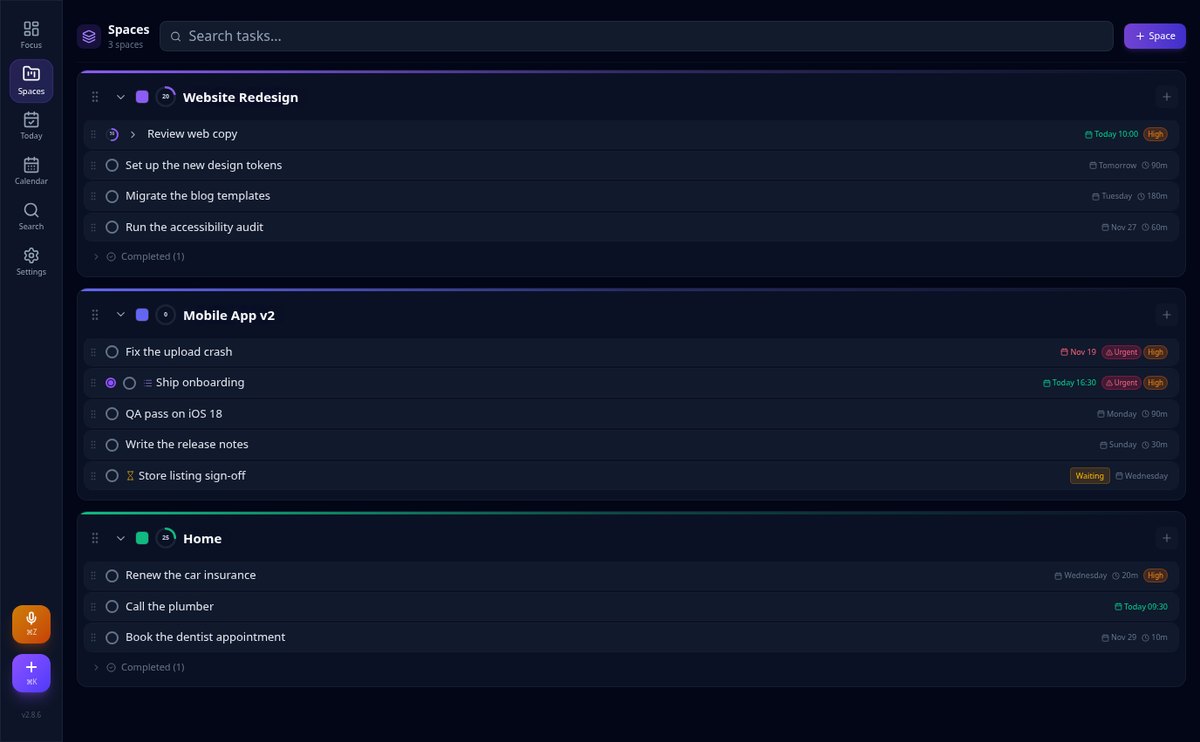
Organize tasks into subtasks with drag and drop — AiTodo
Space tree, tasks, and subtasks up to five levels. Drag with your mouse or finger to reorder or change parent, and mark the parent as done to close the entire branch. Free.
View feature
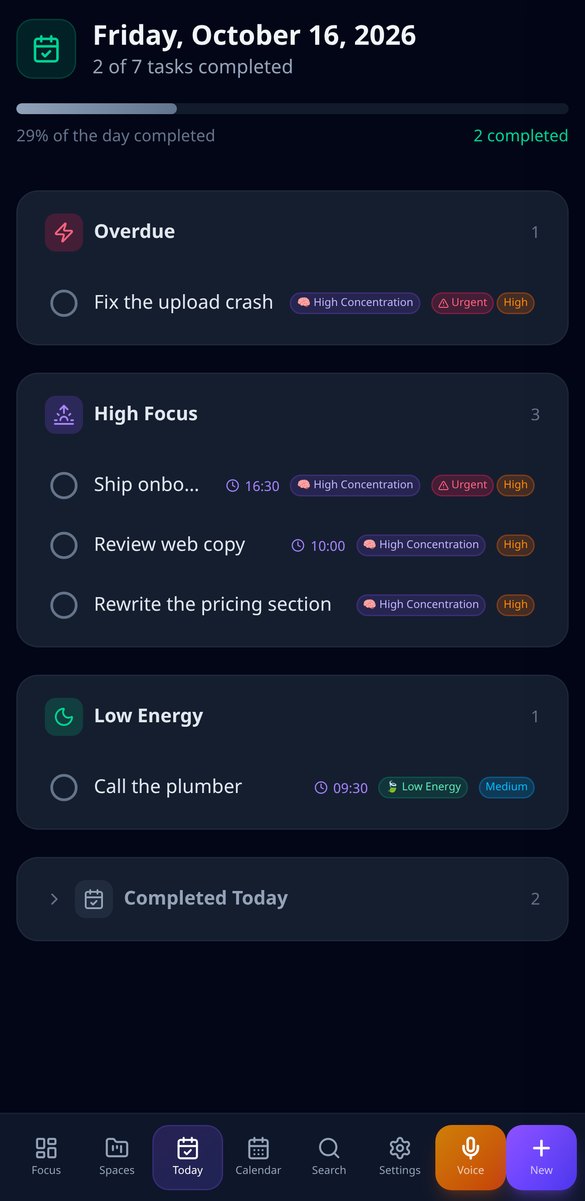
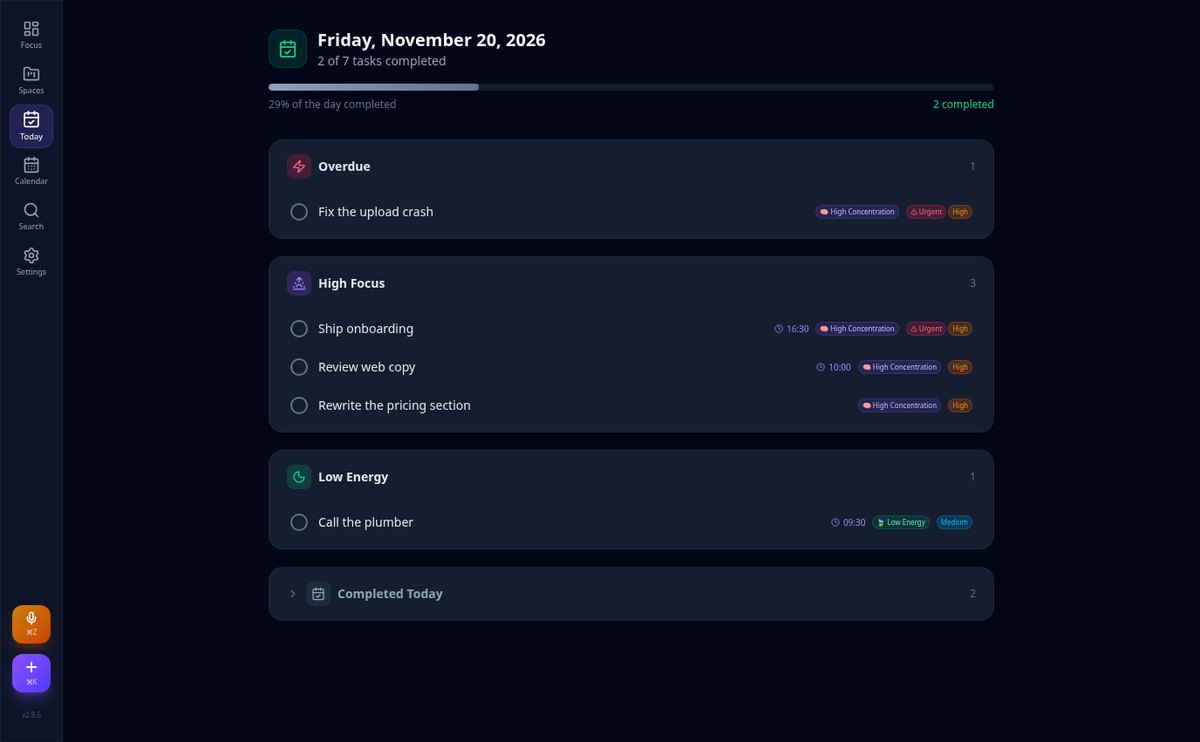
Organize daily tasks by energy level | AiTodo
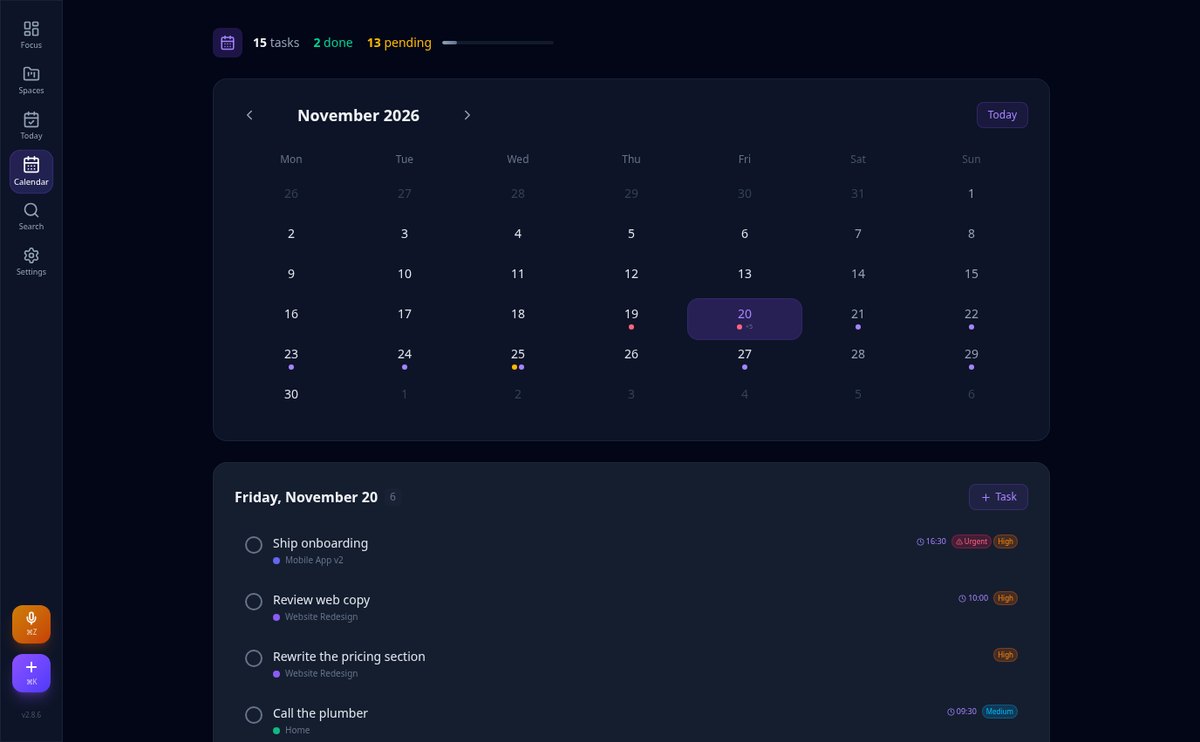
AiTodo's Today view groups your daily tasks into blocks of high concentration and low energy, with overdue tasks at the top and completed tasks collapsed. Free, in your browser.
View feature
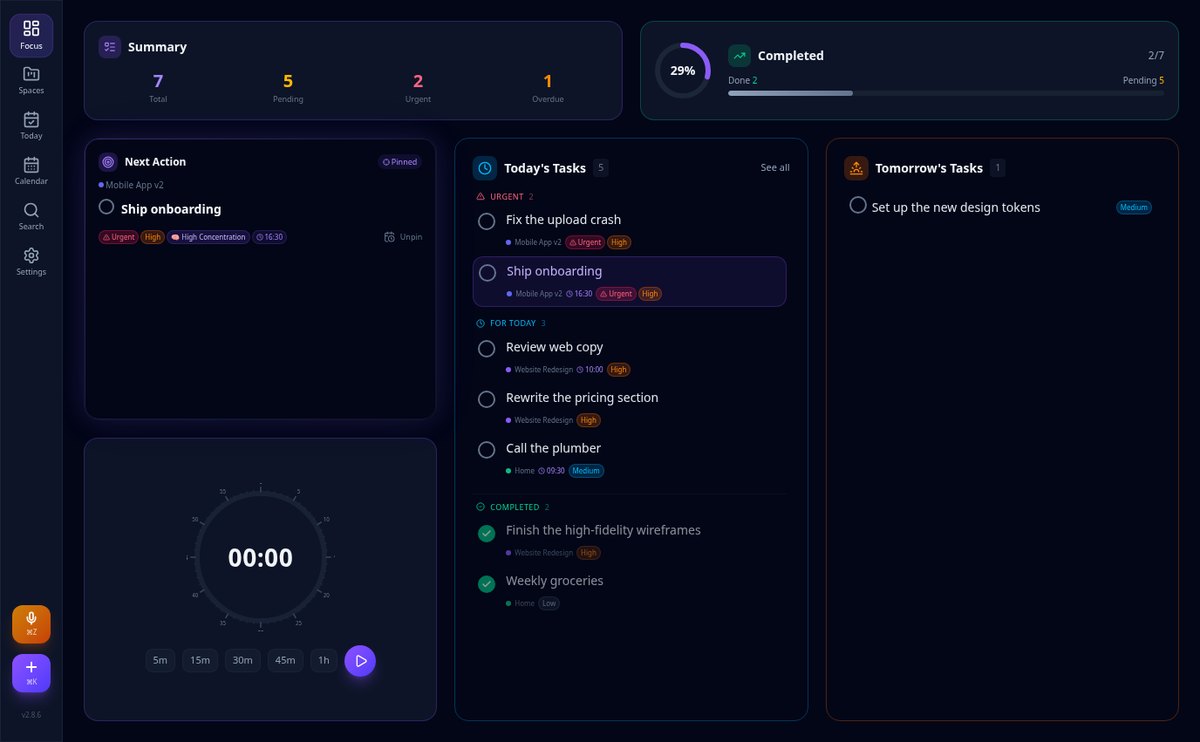
The app that tells you what task to do now | AiTodo
The AiTodo panel chooses the Next Action for you by combining urgency, priority, and date, allowing you to set your preferred task and mark it done with one click. Free, in the browser.
View feature
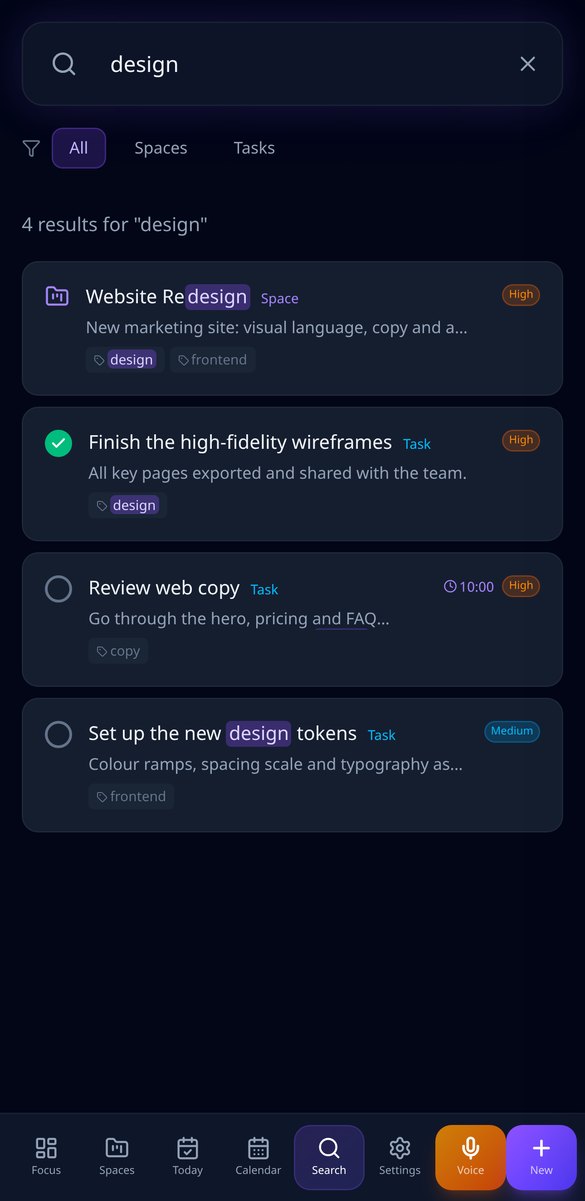
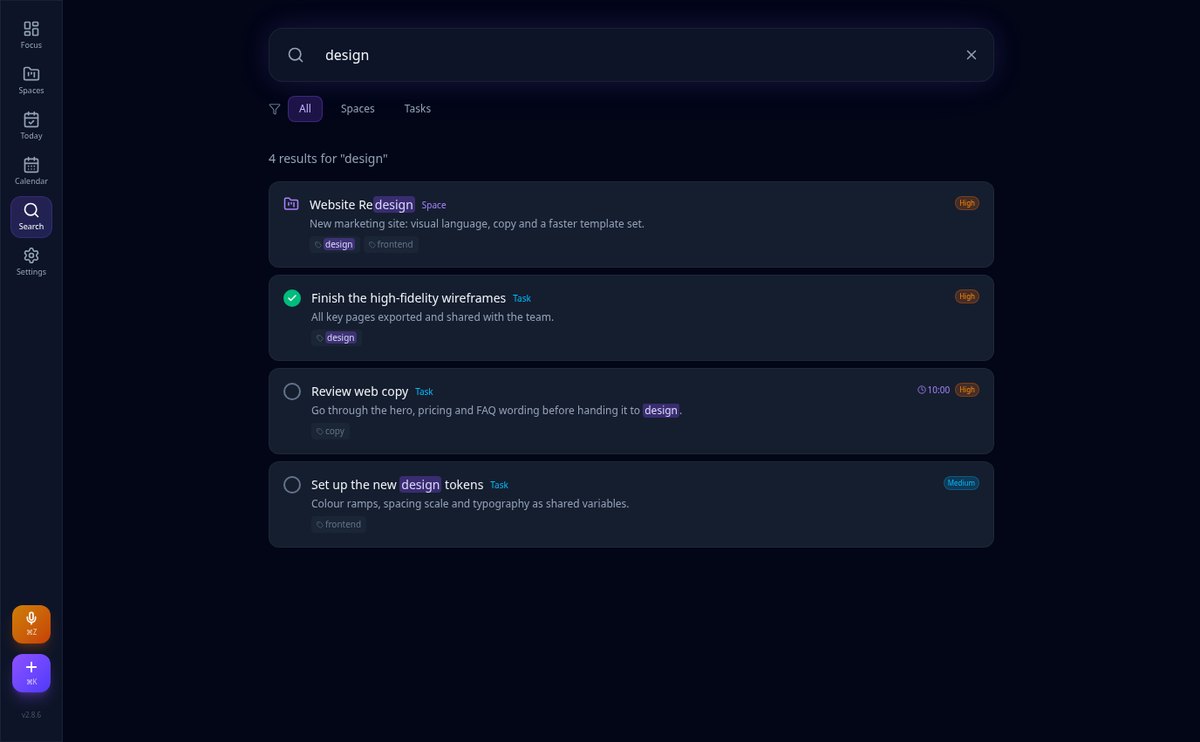
Task app with keyboard shortcuts: ⌘K to create and ⌘/ to search | AiTodo
AiTodo opens quick capture with ⌘K and global search with ⌘/. Create a task with space, date, and time in seconds and find any task, description, or tag with highlighted matches.
View featureEverything you need to never miss a task
Täydellinen vastaanottovirkailija: palvelee, kerää tiedot, varaa ajat ja ilmoittaa sinulle.

AI voice capture
Hold down the microphone (or ⌘Z on desktop), speak naturally, and AI extracts title, space, date, time, priority, urgency, and estimated minutes.

Nested spaces and drag and drop
Organize work into spaces and subtasks with no depth limit, and reorder or relocate any item by dragging it, including on mobile.

Today view and focus mode
Overdue, high focus, and low energy in separate blocks, daily progress, pinned next action, and a 25-minute circular timer.
Get started in three steps
Rekisteröidy
Luo tili sekunneissa.
Määritä yrityksesi
Kerro, mitä tarjoat, aukioloaikasi, ajan tyyppisi ja mitä tietoja sen tulee pyytää jokaiselta asiakkaalta. Ohjatulla nelivaiheisella toiminnolla.
Jaa linkkisi
Liitä se verkkosivullesi, Instagramiisi tai Google-profiiliisi ja alat vastaanottaa aikoja. Voit myös upottaa sen sivustollesi.
Frequently Asked Questions
Latest blog articles
Guides and news to get more out of it

Digital Disconnection in 2026: What Spanish Regulations Require and How to Comply Without Losing Control of Your Tasks
What the digital disconnection regulations require in 2026: mandatory protocol, Supreme Court doctrine, inspection fines, and pending reform.

How to Organize Your To-Do List: The 5-Step Method to Capture Tasks by Voice and Always Know What to Do Next
Practical guide to clear your mind and know what to do next: voice capture, four questions to clarify, nested spaces, energy blocks, and a 'waiting on' list.
Start clearing your head today
Luo ilmainen tilisi, niin vastaanottovirkailijasi palvelee jo tänä iltapäivänä.